


Why IT Relocation Needs More Than Moving Computers
Moving an office is not as simple as packing a few laptops and monitors. You will be really surprised at how much work is involved in an office move. The office move is not about the things you can see, like the desks and chairs. The real work is with the things behind the walls and under the desks, like the network switches, routers, firewalls, servers, IP phones, Wi-Fi access points, structured cabling, and printers that keep the office running every day.
All of these office things have to be disconnected, and then they have to be transported. Then they have to be reinstalled at the new office. After that, they have to be tested to make sure the network switches, routers, firewalls, servers, IP phones, Wi-Fi access points, structured cabling, and printers are working properly.
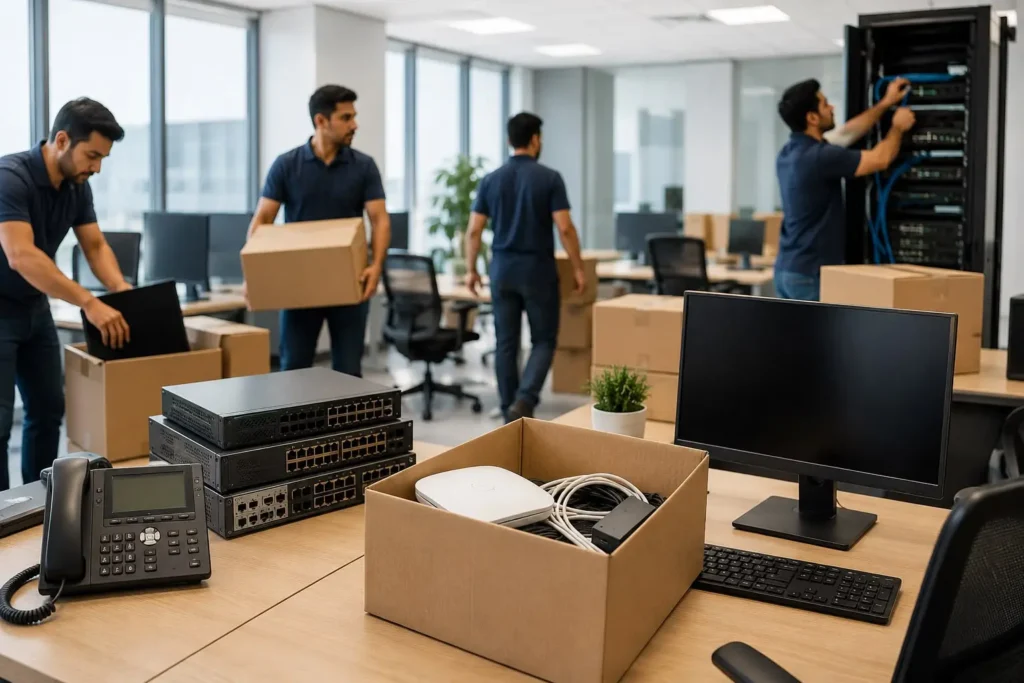
Then your team can start working. This is why many businesses in the UAE use IT relocation services Dubai providers. They do not try to handle the office move themselves or use a moving company because they know how complicated the office move can be, with the network switches, routers, firewalls, servers, IP phones, Wi-Fi access points, structured cabling, and printers.
When this side of the move isn’t planned properly, things go wrong fast. You end up dealing with:
- Extended downtime that eats into productivity
- Network connectivity problems that pop up days after the “move is done”
- Data loss from improperly handled servers or storage devices
- Damaged equipment from careless packing or transport
- Communication failures because phones and email aren’t reconnected correctly
- Delayed business operations that frustrate clients and staff alike
The good news? None of this is inevitable. With the right planning and the right team, an office move can be smooth, predictable, and largely invisible to your customers. That’s where a structured approach to office IT relocation Dubai projects makes all the difference, and it’s exactly what this checklist walks you through.
What Are Office IT Relocation Services?
Before diving into the checklist itself, it helps to understand what’s actually included when a company offers IT relocation as a service. It’s not just “unplug here, plug in there”. A proper relocation project typically covers:
- IT infrastructure assessment
- Equipment inventory and documentation
- Backup and data protection before anything is touched
- Careful network disconnection
- Safe, insured equipment transportation
- Server and storage relocation
- Full network installation at the new site
- IP phone relocation and reconfiguration
- Wi-Fi setup and coverage testing
- Testing and troubleshooting before go-live
- Post-relocation IT support for the first few days
Some providers also bundle relocation with ongoing services, for instance, pairing the move with an IT AMC Service in Dubai so that once you’re settled into the new office, your systems continue to be maintained and monitored without a gap in coverage.
Office IT Relocation Project Checklist
This is the part most people are really here for: the step-by-step process that separates a chaotic move from a well-executed one.
Step 1: Assess the Existing IT Infrastructure
Before you move a single cable, document everything you currently have. This means physically checking and listing:
- Servers
- PCs and laptops
- Switches
- Routers
- Firewalls
- Wi-Fi access points
- IP phones
- Printers
- Network racks
- UPS systems
- Structured network connections
Build a proper equipment inventory that records serial numbers, current locations, and how each device is connected. This single document becomes your reference point for the entire project.
Step 2: Create an IT Relocation Plan
Once you know what you have, it’s time to map out how the move will actually happen. A solid plan defines:
- The moving date
- A realistic project timeline
- Responsible team members for each task
- Which equipment is being moved as-is
- Which equipment needs to be replaced or upgraded
- Expected downtime windows
- Installation sequence at the new office
- A testing schedule
- An emergency recovery plan in case something doesn’t go as expected
A detailed plan doesn’t guarantee a perfect move, but it dramatically reduces the number of last-minute surprises.
Step 3: Check the New Office’s IT Infrastructure
Don’t wait until moving day to discover the new office isn’t ready. Send someone to inspect it beforehand and verify:
- Power availability at workstations and server areas
- Existing network points
- Server room conditions
- Available rack space
- Cooling and ventilation
- UPS capacity
- Internet connection status
- Expected Wi-Fi coverage
- Security requirements
- Cable routing paths
Finding out about a missing power outlet or a server room with no cooling after the move is already underway causes exactly the kind of downtime everyone is trying to avoid. If your internal team isn’t confident doing this inspection alone, bringing in IT Support Services in Dubai for a pre-move site survey is a small cost compared to the delays a missed detail can cause later.
Step 4: Back Up Critical Data
This step is non-negotiable. Before disconnecting servers or storage devices:
- Back up all critical business data
- Verify the backups actually work, not just that they exist
- Document current server configurations
- Save network configuration files
- Keep recovery information accessible and separate from the equipment being moved
If anything goes wrong during the physical move, a solid backup is the difference between a minor delay and a genuine crisis. This step also lines up with broader data security and backup guidance that most IT frameworks recommend before any infrastructure is physically moved or reconfigured.
Step 5: Label and Document Equipment
Every cable and device needs a clear identity before it’s unplugged. A simple labelling format works well:
Switch → Port → Office/Device
It’s also worth taking photos of every connection before disconnecting anything. When it’s time to reinstall at the new location, these photos and labels will save hours of guesswork.
Step 6: Safely Disconnect and Pack IT Equipment
Powering down and packing equipment correctly protects your investment. Pay extra attention to:
- Servers
- Hard drives
- Network switches
- Routers
- Firewalls
- Monitors
- UPS batteries
- IP phones
Expensive IT equipment isn’t the same as office furniture, and it shouldn’t be packed like it is. Vendor-specific hardware such as Cisco products in Dubai often needs extra care during disconnection too, since certain switches and firewalls require a proper shutdown sequence to avoid configuration corruption.
Step 7: Transport Equipment Securely
During transport, equipment needs protection from:
- Physical impact
- Dust
- Moisture
- Improper handling
- Static electricity
Ideally, sensitive equipment like servers and network hardware should be handled by people who understand what they’re carrying, not just movers shifting boxes from one van to another
Step 8: Install the IT Infrastructure at the New Office
Now the reinstallation begins. This typically covers:
- Servers
- Network racks
- Switches
- Routers
- Firewalls
- Wi-Fi access points
- IP phones
- Printers
- Workstations
Everything should be reconnected exactly according to the documented network plan created earlier, not reassembled from memory. Businesses upgrading their hardware during the move sometimes use this stage to bring in new Server and Storage Solutions in Dubai rather than simply reinstalling the old setup as-is.
Step 9: Configure the Network and Internet
Physical installation is only half the job. A proper office network setup Dubai project also requires configuring the following:
- LAN connectivity
- Internet connectivity
- VLANs
- DHCP
- DNS
- Firewall rules
- VPN access
- Wi-Fi networks
- Network security settings
This is genuinely where a simple equipment move turns into a full IT infrastructure relocation project and where experience matters most.
Step 10: Test Everything Before Employees Return
Never assume a system works just because the light turned green. Test:
- Internet access
- Internal network connectivity
- Wi-Fi coverage across the office
- File and server access
- VPN
- IP phones
- Printers
- Business applications
- Security systems
- Remote access
Create a final sign-off checklist and only clear the office for staff once every item is confirmed working.
Common IT Relocation Mistakes to Avoid
Even experienced teams slip up during a move. Watch out for these common mistakes:
- Starting the project without a complete equipment inventory
- Moving equipment without taking backups first
- Forgetting to document network configurations
- Skipping the new office inspection
- Poor or missing cable labeling
- Ignoring server-room requirements like cooling and power capacity
- Underestimating how long downtime will actually last
- Failing to test systems thoroughly before employees arrive
Any one of these on its own might seem minor, but combined, they’re usually what turns a weekend move into a week-long headache. If your internal IT staff is already stretched thin, it’s often easier to hand the whole project to an IT Outsourcing Company in Dubai than to risk these mistakes while juggling everyday support tickets.
How to Minimize Downtime During an Office IT Move
Downtime is the number one concern for most businesses planning a relocation, and it’s manageable with the right approach:
- Plan the physical move outside peak working hours
- Prepare the new network in advance, before moving day
- Back up critical systems well ahead of time
- Pre-configure network equipment wherever possible before it’s even transported
- Move equipment in phases rather than all at once
- Keep employees informed throughout the transition
- Have an IT support team on standby during the switch
- Always keep a rollback or recovery plan ready
Businesses that already work with a provider like IT AMC Dubai tend to have an easier time here, since ongoing maintenance contracts usually mean network configurations are already documented and up to date before the move even starts.

Why Choose Professional Office IT Relocation Services in Dubai?
It’s entirely possible to attempt an office move using internal staff. But for most businesses, bringing in a team that specialises in IT relocation services Dubai turns out to be far more cost-effective in the long run. A professional team can help you:
- Reduce downtime significantly
- Protect expensive IT equipment during transport
- Minimize configuration errors that cause recurring issues
- Maintain network security throughout the transition
- Speed up the overall move
- Provide post-move technical support when small issues inevitably pop up
Once the move is complete, that support doesn’t need to end. Many providers also offer ongoing IT Service Desk in Dubai coverage, so any small issue that surfaces in the first few weeks after the relocation gets resolved quickly instead of piling up.
Server Relocation and Network Relocation: A Quick Comparison
Since these two terms often get mixed up, here’s a simple breakdown of what each actually involves:
| Task Area | Server Relocation Services Dubai | Office Network Relocation Dubai |
| Main focus | Physical servers, storage arrays, backups | Switches, routers, cabling, Wi-Fi |
| Key risk | Data loss, downtime for shared drives/apps | Loss of connectivity, IP conflicts |
| Pre-move step | Full data backup and configuration export | Documenting VLANs, DHCP, and IP schemes |
| Post-move step | Server testing, application access checks | Network testing, Wi-Fi coverage checks |
| Typical timeline | Depends on data volume and server count | Depends on office size and cabling complexity |
Both need to happen in coordination; a perfectly relocated server is useless if the network around it isn’t reconfigured correctly.
Final IT Relocation Checklist
Here’s a condensed, save-it-for-later version of everything covered above:
- Complete IT equipment inventory
- Assess the new office infrastructure
- Prepare a detailed relocation timeline
- Back up critical data and verify it
- Document all network configurations
- Label cables and equipment clearly
- Securely disconnect equipment
- Transport equipment safely
- Install network infrastructure at the new site
- Configure internet and network settings
- Reconnect servers and devices
- Test all critical systems
- Verify security configurations
- Confirm employee connectivity
- Complete a final inspection and sign-off
Conclusion
Moving offices is hard enough without wondering if your servers will start up properly on the side. A clear checklist. Including checking everything, making plans, saving data, marking items, moving them safely, putting them back in place, setting them up again, and testing them. Makes a confusing situation much easier to handle. No matter if you do it yourself or hire people who specialize in IT relocation services Dubai, the main aim is the same: help your team get back to work as soon as possible without losing any data and with as little trouble as possible. A bit of preparation before the day can make your next office move feel almost normal.
FAQ
They’re specialised services that handle the planning, disconnection, transportation, and reinstallation of a company’s entire IT infrastructure — servers, network equipment, phones, and workstations — during an office move.
Typically it covers infrastructure assessment, equipment inventory, data backup, network disconnection, secure transport, reinstallation, network configuration, testing, and short-term post-move support.
It depends heavily on office size and infrastructure complexity, but small to mid-sized offices often complete the process over a weekend, while larger setups with multiple servers may need several days of phased work.
Plan the move outside working hours, prepare the new network in advance, back up everything beforehand, and keep an IT team on standby to resolve issues immediately after reconnection.
Servers and network hardware should be powered down properly, labeled, packed with anti-static and shock-resistant materials, and transported by people experienced in handling sensitive IT equipment.
Yes, always. Backing up critical data and verifying that the backup actually works is one of the most important steps in any relocation project, regardless of how short the move is.
Yes. Most office network relocation Dubai providers handle full network setup along with IP phone reconfiguration, Wi-Fi installation, and connectivity testing as part of the same project.
Costs vary based on the number of devices, server complexity, distance between offices, and whether new equipment or upgrades are needed alongside the move — most providers offer a custom quote after an initial site assessment.
Yes. It’s a good idea to notify your ISP and telecom provider ahead of time so new lines, ports, or number transfers can be arranged before your move date, avoiding unnecessary connectivity gaps.
Absolutely. Even a small office with just a handful of workstations and a single server can face costly downtime from a poorly handled move, so professional support is often worth the investment regardless of company size.
