


Your business is moving to an office, expanding its infrastructure or shifting its server room. The servers look like equipment that can be unplugged, loaded onto a truck and plugged back in. In reality Server relocation in Dubai is more complex than simply moving hardware; it requires careful planning, precise coordination and deep technical expertise.
Done badly, it can bring:
- Business downtime
- Data loss
- Network connectivity problems
- Storage access issues
- Application failures
- Hardware damage
- Security problems
Whether you handle the move in-house or bring in a provider of IT Support Services in Dubai, the difference between a smooth move and a stressful one is almost always preparation. Here’s what to know before you disconnect a single cable.
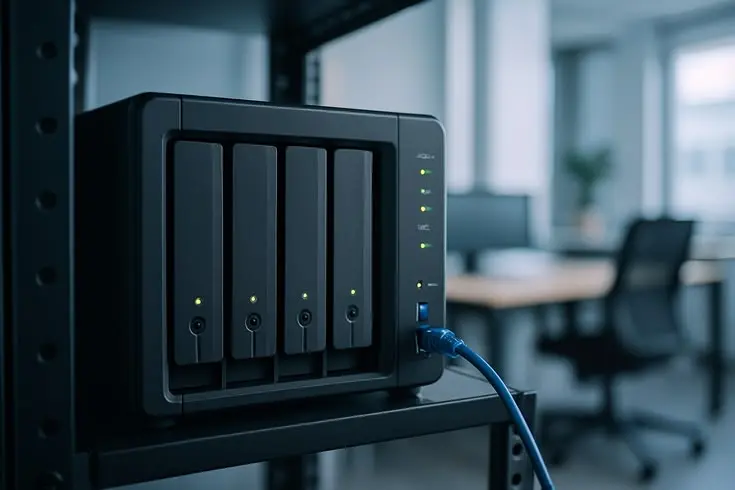
Why Do Businesses Relocate Their Servers?
Most relocations come from real business changes, not from a sudden urge to rearrange the server room. The most common reasons are:
- Moving to a new office
- Expanding the business and needing more capacity
- Upgrading the server room
- Moving to a data center
- Reorganizing IT infrastructure
- Replacing an unsuitable server environment
- Improving power, cooling, security, or connectivity
Whatever the trigger, treat it as a proper project with a plan, an owner, and a timeline. Server relocation in Dubai is rarely a “we’ll do it over the weekend” job.
What Needs to Be Checked Before Server Relocation?
This is where most of the real work happens. The more you check now, the fewer surprises you’ll have on moving day.
1. Understand the Existing Infrastructure
You can’t move what you haven’t mapped. Start by listing everything:
- Servers
- Storage devices
- Switches
- Firewalls
- NAS and SAN systems
- Applications
- Network connections
- Dependencies between systems
That last item matters most. Your accounting software may rely on a database server, which relies on an authentication server. Move them in the wrong order and things break in confusing ways. Many businesses also find forgotten machines still running old workloads during this step.
2. Check the New Server Location
Before anything ships, confirm the new space can actually support your equipment. Check for:
- Rack space
- Power supply
- UPS
- Cooling
- Network connectivity
- Physical security
- Cabling
- Internet connectivity
- Access control
Nothing is worse than showing up with a truck full of servers and finding out the room isn’t ready.
3. Check Server and Storage Compatibility
Make sure the new environment can support what you already own. A rack server, a blade server, a NAS box, a SAN, and cloud-integrated storage all have different power, cooling, and networking needs. Blade servers, for example, draw more power and generate more heat in a smaller footprint than standard rack servers. If you’re planning a bigger IT infrastructure relocation Dubai project, this is the time to spot equipment that won’t fit or won’t cope in the new space.
What Should Be Done Before Moving the Servers?
These steps address the biggest concerns most business owners have.
Create a Complete Backup
Back up your important business data before disconnecting anything. That means databases, file shares, email, application data, and system configurations, with a copy stored off-site.
Verify the Backup
Creating a backup isn’t enough. You need to know you can restore from it. Run a test restore of a few key systems and confirm the data opens and works. Solid server backup and recovery Dubai planning always includes this step, and it’s the one people skip most often.
Document the Existing Configuration
Write down how everything is set up now. Record:
- Server connections
- IP addresses
- Network configuration
- Storage connections
- Cable connections
- Device locations
- Application dependencies
Take photos of the racks and label the cables. Future you will be grateful when it’s time to put everything back together.
Plan the Downtime
Decide upfront:
- When systems can be shut down
- Which services will be affected
- Expected downtime
- Who needs to be informed
- What happens if the relocation takes longer than expected
In the UAE, many companies pick a Friday evening into the weekend. Tell staff and clients early, and brief your IT Service Desk in Dubai so employees know exactly who to contact when systems come back online.
How Is a Server Actually Relocated?
The process looks like this:
Assessment → Backup → Shutdown → Disconnect → Secure Transport → Reinstallation → Configuration → Testing → Monitoring
| Stage | What Happens |
| Assessment | Inventory the equipment, map dependencies, and review risks. |
| Backup | Take full backups and test the restore |
| Shutdown | Power down systems in the correct order. |
| Disconnect | Label and document every cable and port. |
| Secure Transport | Pack with anti-static and shock protection, move with tracking |
| Reinstallation | Rack the equipment and reconnect power and cabling. |
| Configuration | Restore network settings, IP addressing, and storage connections. |
| Testing | Check hardware, applications, and access. |
| Monitoring | Watch performance closely in the first days and weeks. |
Professional server moving services Dubai teams follow this same flow, just with more experience handling the tricky parts.
What Needs Special Care During Server Relocation?
A few areas deserve extra attention.
Hardware protection. Servers and storage equipment are sensitive. Vibration, static, and rough handling can damage drives, boards, and power supplies.
Data protection. Avoid accidental data loss or corruption, and keep data secure while equipment is in transit. If you handle customer or financial information, it’s worth reading the official UAE data protection laws so you know your obligations before moving anything.
Power and cooling. The new environment must provide enough of both. Underpowered racks and weak cooling cause problems that only show up after go-live.
Network configuration. A new location can change IP addressing, switches, firewalls, VPNs, and connectivity. Don’t assume the old settings will carry over.
Storage systems. NAS and SAN systems need careful planning because multiple servers often depend on shared storage. If one goes down or comes up wrong, several applications can be affected at once.
Application dependencies. Powering on a server doesn’t mean every application will work right away. Licenses, database connections, and service start-up order can all cause trouble.
What Can Go Wrong During Server Relocation?
Knowing the common failure points helps you plan around them. Here’s what businesses typically run into:
- Server doesn’t boot after relocation
- Network connection doesn’t work
- Storage can’t be accessed
- Applications fail
- Backup is unavailable
- Incorrect cabling
- IP configuration problems
- Insufficient power
- Cooling problems
- Unexpected downtime
- Data corruption
The good news is that most of these are avoidable. Proper planning, clear documentation, and thorough testing reduce these risks a lot.
What Should Be Tested After Server Relocation?
The job isn’t done when the server powers on. Go through a proper checklist:
| Area | What to Confirm |
| Server hardware | Every server boots and shows no fault warnings |
| Network connectivity | Switches, firewalls, and VPNs work as expected |
| Internet connectivity | Bandwidth and failover behave properly |
| Storage access | NAS and SAN volumes are reachable by the right servers |
| Applications | Business-critical systems run correctly |
| User access | Staff can log in and reach files and systems |
| Backup systems | Scheduled jobs run and complete |
| Security configuration | Firewall rules, permissions, and access controls are intact |
| Performance | Speeds match or beat what you had before |
| Monitoring | Alerts and health checks are active |
The first few weeks are when hidden issues tend to appear, so keep an eye on logs and performance.
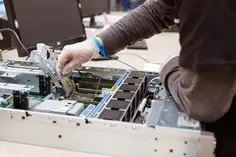
How Server and Storage Solutions Support a Successful Relocation
A move is also a good chance to fix what wasn’t working. If your storage is too small, your servers are old, or your network is messy, you don’t want to carry those problems into a fresh setup.
That’s where well-designed Server and Storage Solutions in Dubai help. Depending on your needs, that can include:
- Rack and blade servers
- Enterprise NAS
- Storage Area Networks
- Cloud-integrated storage
- Server deployment
- Customized infrastructure design
- Secure network integration
- Enterprise storage configuration
- Performance optimization
- Ongoing support and maintenance
Getting the right server storage solutions Dubai businesses can grow into means you won’t be repeating this project in two years. If part of your plan involves server migration in Dubai, moving workloads to newer hardware or the cloud rather than just relocating old machines, the same team can often design both.
When Should a Business Consider Professional Server Relocation Services in Dubai?
Some moves are simple enough to handle internally. Others really aren’t. Consider professional server relocation services in Dubai when you have:
- Multiple interconnected servers
- Critical business applications
- Large storage environments
- NAS or SAN infrastructure
- Limited acceptable downtime
- Complex network configuration
- Critical backup requirements
- An office or data center relocation Dubai project
In these cases, experienced server and storage engineers make a big difference. They’ve seen what goes wrong, know how to sequence the shutdown and start-up, and can fix problems on the spot instead of learning as they go. If you’re weighing options, it’s also worth comparing IT AMC services from different providers, since many bundle relocation support with ongoing care.
Can Server Relocation Be Included in IT AMC Services in Dubai?
In many cases, yes, or at least closely connected. An IT AMC Service in Dubai is usually built around keeping your servers, storage, and network healthy year-round, which puts the provider in a strong position to support a move.
Ongoing support can help with:
- Server monitoring
- Hardware maintenance
- Storage management
- Backup monitoring
- Network troubleshooting
- Performance optimization
- Preventive maintenance
After a relocation, that ongoing attention matters. It catches early problems like failing drives, missed backups, or slow performance before they turn into outages. If your contract doesn’t explicitly cover relocation work, ask about it upfront so there are no surprises.
Conclusion
Server relocation is one of those projects where preparation decides the outcome. Audit what you have, check the new site, back up and verify your data, plan the downtime, and test thoroughly afterward. If your setup is complex, bring in people who do this every day.
Once you’re settled in, a yearly support plan like IT AMC Dubai helps keep everything running smoothly. Handled properly, server relocation in Dubai doesn’t have to be something you dread.
Frequently Asked Questions
Most businesses need at least a few weeks for planning, auditing, and backups. Larger environments with SAN storage or many applications may need more time.
Take full backups, keep an off-site copy, and test the restore before moving anything. Handle drives carefully and never rely on a single copy of your data.
Yes. Phased moves, temporary cloud or standby systems, and after-hours scheduling can keep downtime short. Critical systems can often be moved last or replicated first.
Rack space, power, UPS, cooling, network and internet connectivity, cabling, physical security, and access control. All of these should be ready before moving day.
Yes. Multiple servers often depend on shared storage, so the shutdown order, reconnection, and testing all need extra care.
Databases, file shares, email, application data, virtual machines, and system configurations. Keep a record of network and storage settings too.
Hardware, network and internet connectivity, storage access, applications, user logins, backups, security settings, performance, and monitoring.
Plan the schedule carefully, document everything, prepare the new site in advance, and use experienced engineers. Testing the network and storage setup early also speeds up go-live.
When you have critical applications, multiple linked servers, large storage systems, tight downtime limits, or a complex network. In those cases, professional help lowers your risk considerably.
Relocation means physically moving hardware from one place to another. Migration means moving data, applications, or workloads to a new server or platform, often without moving any hardware.
