


Printers are very important for business operations. When they stop working, many managers think the hardware is faulty. In reality most office printing problems come from configuration mistakes. Getting your printer configuration in Dubai right from the start can save hours of downtime and frustration.
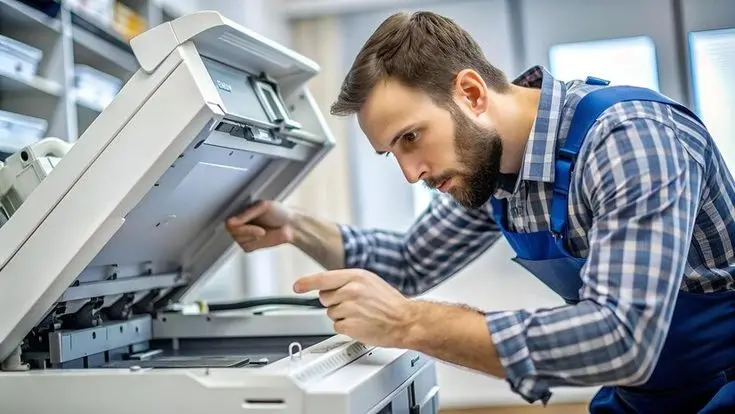
From driver conflicts to network missteps, small errors during setup can lead to connectivity issues. They can also cause print quality and security vulnerabilities. Understanding these pitfalls helps businesses reduce downtime. It keeps operations running. Whether you’re setting up a device or managing a fleet, proper printer configuration in Dubai makes all the difference.
What Is Printer Configuration?
Printer configuration is not just plugging in a cable and pressing print. It’s a one-step process. It ensures communication between your printer, computers, and network. A complete setup includes:
- Installing the up-to-date printer drivers
- Connecting the printer to the office network (wired or wireless)
- Configuring IP addresses for reliable connectivity
- Setting up printer sharing across users
- Adjusting print settings for quality and cost-efficiency
- Updating firmware to patch security vulnerabilities
- Testing all functions—printing, scanning, copying, and faxing
When any of these steps are skipped or done incorrectly, problems follow. That’s why professional printer configuration services in Dubai are increasingly popular among businesses that can’t afford downtime
10 Common Printer Configuration Mistakes
1. Installing the Wrong Printer Driver
One of the frequent errors is installing an incompatible or outdated driver. Without the driver, your computer and printer can’t communicate properly. This often results in error messages or garbled printouts. Always download drivers from the manufacturer’s website. Use the installation CD that came with the device. For offices with multiple computer types (Windows and Mac), ensure drivers are available for all systems. Professional office printer setup Dubai providers always verify driver compatibility during installation.
2. Incorrect Network or IP Address Configuration
Network printers rely on IP configuration. If a printer is assigned an IP address, that changes; computers may lose connection. Static IP addresses are recommended for business printers. They ensure reliable communication. A thorough printer configuration service in Dubai will always assign static IPs to avoid these headaches.
3. Connecting the Printer to the Wrong Network
This mistake is surprisingly common. If the printer connects to a guest Wi-Fi network or a different VLAN than users’ computers, nobody will be able to print. Always verify that the printer is on the same network segment as the devices that need to access it. Professional office printer setup Dubai services ensure correct network alignment during every installation.
4. Skipping Firmware Updates
Firmware updates aren’t about new features. They address security vulnerabilities and compatibility issues. Outdated firmware can leave printers exposed to cyberattacks. Regular firmware updates should be part of your printer maintenance Dubai routine. Manufacturers often release patches for known vulnerabilities, so keeping firmware current protects both performance and security. According to HP’s official support guide, regular firmware updates are essential for security and functionality.
5. Improper Printer Sharing Settings
In offices, one printer serves an entire team. If sharing settings aren’t configured properly, some employees may not see the printer. They may experience permission errors. On Windows this involves enabling network discovery and proper sharing permissions.
6. Leaving Default Print Settings Unchanged
Default print settings often aren’t optimised for your needs. Printing in colour when black and white would suffice wastes toner and increases costs. Taking a few minutes to adjust default preferences can save money. Reduce waste. Duplex printing, print quality, and paper type can save money and reduce waste. This is another area where professional printer installation services in Dubai can add immediate value.
7. Ignoring Security Settings
Printers are network devices. Like any network device, they can be hacked. Unsecured printers may expose documents or become entry points for attackers. Default administrator passwords should be changed immediately. Disabling unnecessary services and enabling encryption for print jobs adds further protection. For comprehensive security, consider combining your printer setup with IT AMC Service in Dubai that covers both IT infrastructure and print devices.
8. Firewall or Antivirus Blocking Printer Communication
Security software is essential. It can sometimes block legitimate printer traffic. Firewalls may prevent computers from discovering the printer or sending print jobs. Antivirus programs might quarantine driver files. When a printer suddenly stops working after a security update, check whether the firewall or antivirus is interfering. Adding printer-related exceptions often resolves the issue. Reliable IT support services in Dubai can quickly diagnose and resolve these conflicts.
9. Not Testing the Printer After Configuration
An oversight is assuming the printer works without testing. After any configuration change, test printing, scanning and connectivity from each device that will use the printer. Testing catches errors before they become urgent problems. Professional printer installation services Dubai always includes comprehensive testing to verify everything functions correctly before signing off on the job.
10. Failing to Perform Regular Maintenance
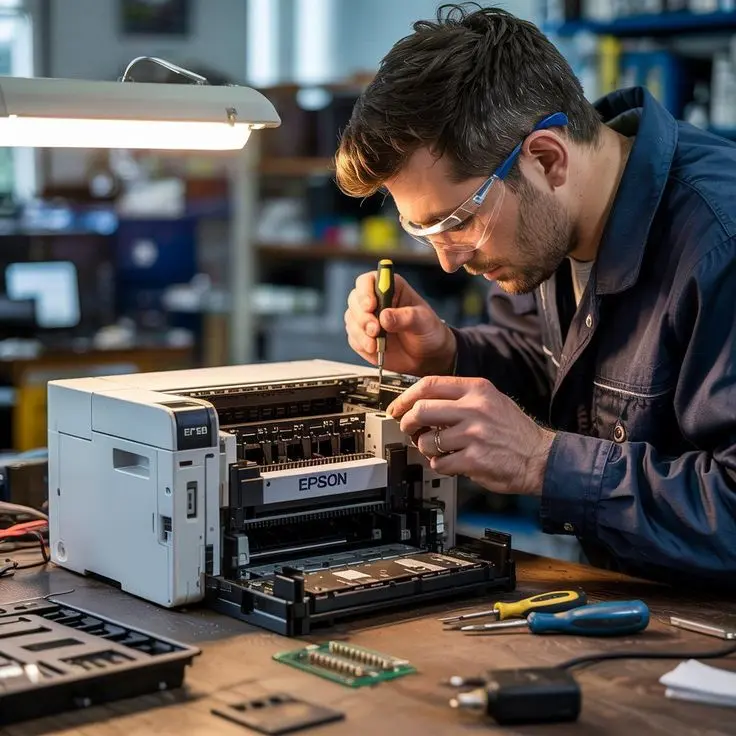
Configuration isn’t a one-time task. Over time drivers become outdated, settings drift and hardware wears out. Regular maintenance keeps printers performing at their best. An annual maintenance contract can prevent issues before they disrupt operations. Businesses can include printers under their IT AMC Dubai agreement for comprehensive coverage.
How Professional Printer Configuration Prevents These Problems
An experienced IT support team takes the guesswork out of printer setup. Professionals:
- Configure printers the first time, avoiding common errors
- Set up secure network printing with static IPs and encryption
- Install the drivers and firmware for all devices
- Enable printer sharing across departments with permissions
- Optimise print settings to balance quality and cost
- Reduce downtime through maintenance
- Provide ongoing troubleshooting and support
For businesses without dedicated IT staff, professional printer configuration in Dubai ensures printers are set up right and stay that way. This approach minimises disruptions and maximises productivity across the organisation.
Why Businesses in Dubai Choose Professional Printer Configuration Services
Dubai businesses increasingly turn to IT service providers for printer configuration and maintenance. The benefits are clear:
- setup and deployment
- Downtime and fewer disruptions
- Secure network integration
- Expert troubleshooting for all printer brands
- Support for printer types
- Ongoing maintenance through agreements
- On-site and remote support options
A trusted Cisco supplier in Dubai can also assist with network infrastructure that supports reliable printing. And businesses looking for predictable costs often explore an IT annual maintenance contract in Dubai that covers printers alongside other IT equipment, ensuring all technology remains operational and secure.
Conclusion
Many office printing problems are avoidable. Incorrect configurations cause more issues than hardware failures. By understanding and avoiding these ten mistakes, businesses can improve printer reliability. They can reduce downtime. Protect sensitive information. Proper printer configuration in Dubai is an investment in efficiency.
If printer problems persist despite your efforts, professional support is the answer. Expert configuration services handle everything from driver installation to network setup. They ensure your printers work seamlessly. Contact our team today for printer configuration and IT support services in Dubai. We’ll keep your office printing smoothly.
FAQ
This is usually caused by an incorrect printer driver, wrong network settings, or the printer not being set as the default printer. Checking these settings often resolves the issue.
A printer may go offline because of network connection problems, an incorrect IP address, outdated drivers, or communication issues between the printer and your computer.
This usually happens when printer sharing is not configured correctly or the printer is not connected to the same office network as other users.
Yes. Keeping your printer firmware up to date helps improve performance, fixes known issues, and enhances security.
This can happen due to missing or outdated drivers, loose cable connections, incorrect network settings, or firewall restrictions.
Yes. Incorrect print settings, wrong paper size, or outdated drivers can result in poor print quality or printing errors.
Install the correct drivers, configure the network properly, keep the firmware updated, and test the printer after installation to ensure everything works correctly.
Yes. We provide professional printer configuration, network setup, troubleshooting, and ongoing printer support for businesses across Dubai
